测量工具
快速上手
ts
import { Measure } from "cesium2s/src"
//实例化一个测量工具(需传入Viewer)
const measure = new Measure(fair.viewer)

//开始测量(默认测量方法是距离测量)
measure.start()

//开始面积测量
measure.type = 'area'
measure.start()

//开始三角测量
measure.type = 'triangle'
measure.start()

//清空已有测量实体
measure.clear()

//销毁测量实例
measure.destroy()
💡 操作提示
- 左键拾取顶点
- 右键结束拾取
- 结束绘制后可以拖动顶点调整
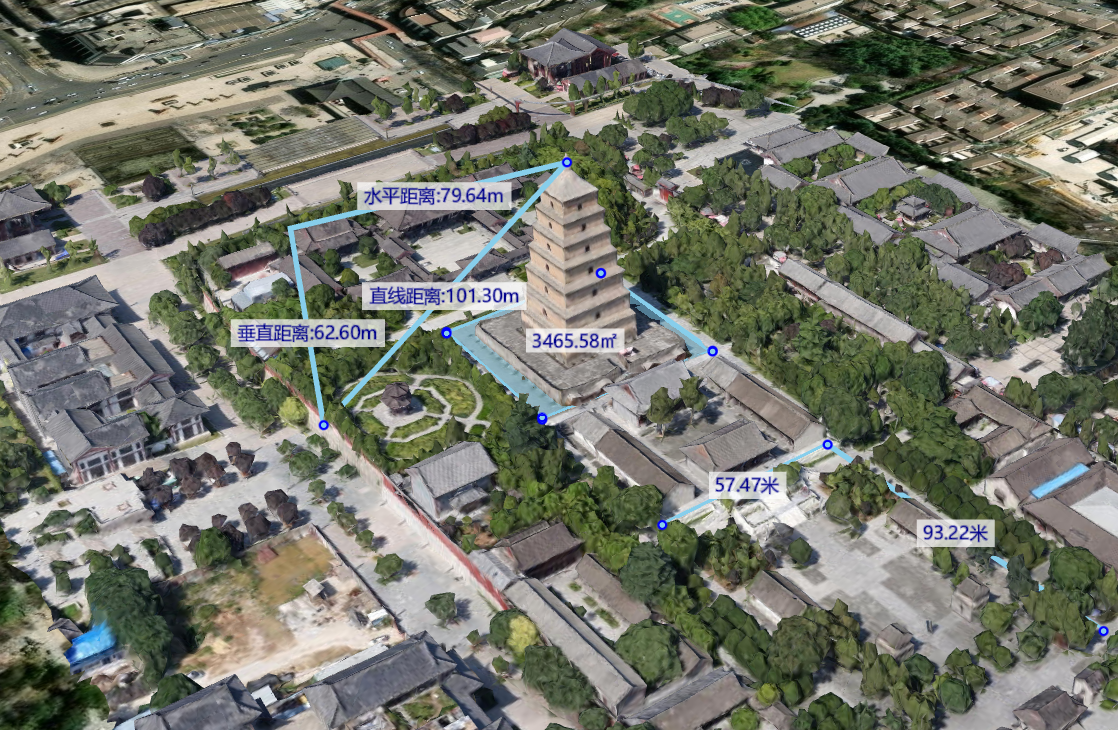
功能演示:

样式配置
和绘制工具一样,测量工具也支持样式配置,以适配不同风格的系统
ts
const measure = new Measure(fair.viewer, {
          point:{
            color:Cesium.Color.SKYBLUE,
            outlineColor:Cesium.Color.BLUE,
            outlineWidth:2,
          },
          polyline: {
            material: Cesium.Color.SKYBLUE
          },
          polygon: {
            material: Cesium.Color.SKYBLUE.withAlpha(0.5)
          },
          label: {
            fillColor: Cesium.Color.DARKBLUE,
            backgroundColor: Cesium.Color.WHITE.withAlpha(0.7),
            font: '18px sans-serif',
          },
        })
效果展示: