地形开挖
基本使用
1.首先实例化开挖工具:
ts
//实例化开挖实例
excavation = new Excavation(fair.viewer, {
	tilesets: [tileset], //如果需要在3dtiles模型上开挖,需填入该参数
	textureMap: "/imgs/soil.jpg", //开挖工具使用的墙壁和底部贴图
})
2.调用excavation函数开挖:
ts
//参数1:Cartesian3数组;参数2:开挖深度(单位:米)
excavation.excavation(points, 50)
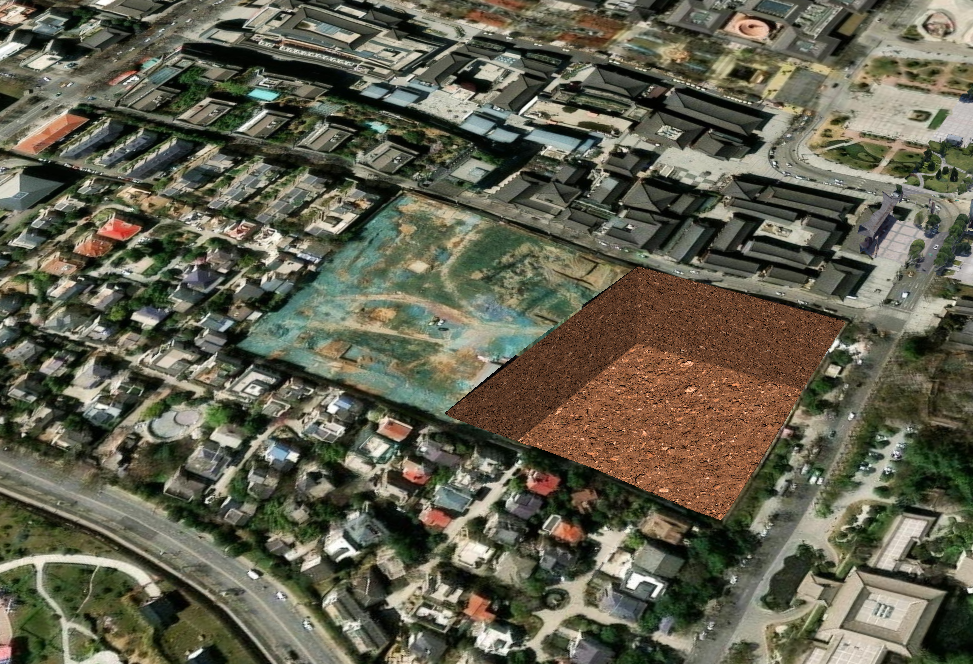
效果展示:
3.调用recover恢复
ts
excavation.recover()xxxxxxxxxx fair.setTerrain("http://your/path/cesiumTerrain/asia_90m")ts
ts
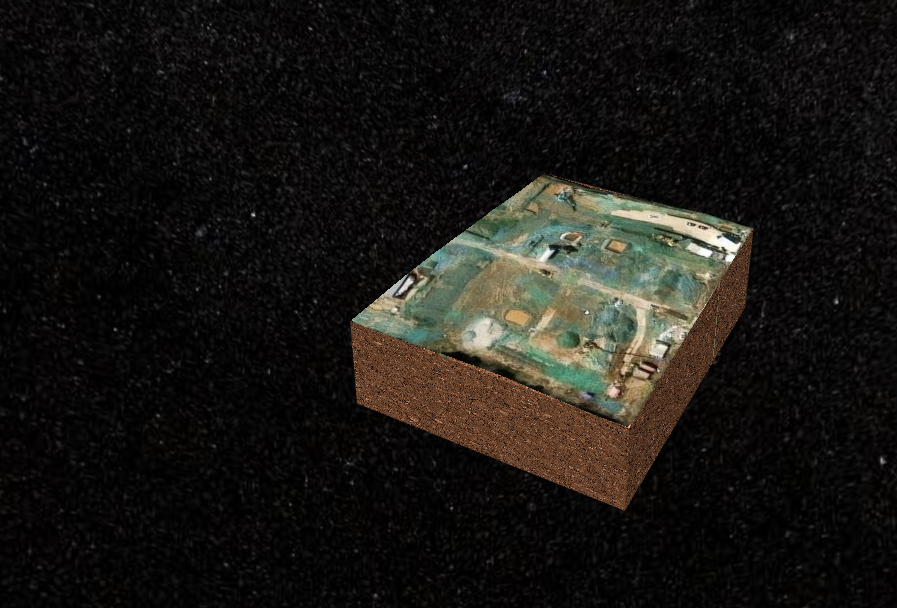
excavation.reverse()效果展示:
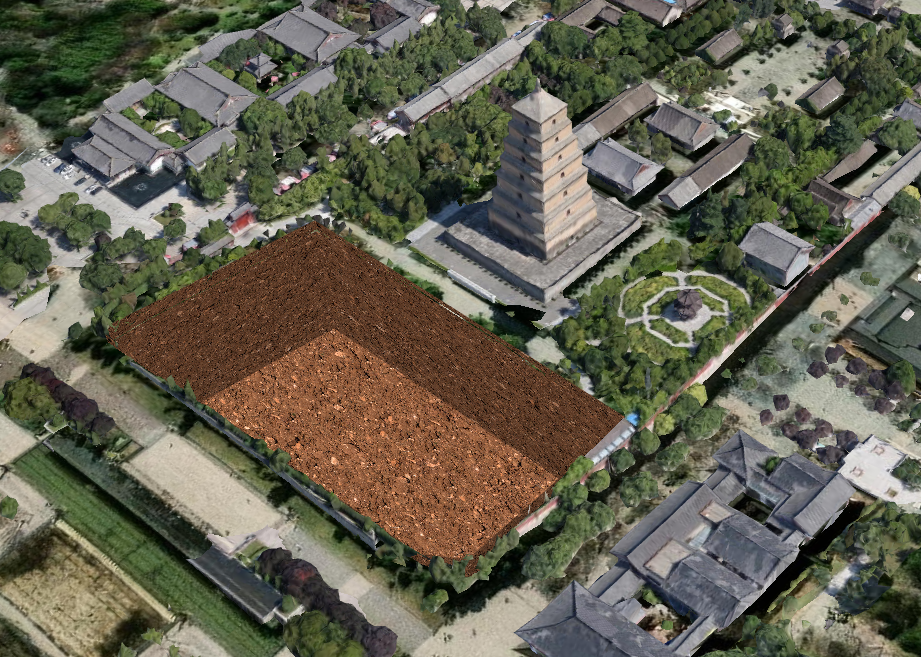
传入3dtiles参数时,开挖3dtiles效果:
综合案例
结合Drawer工具,实现开挖交互案例:
vue
<template>
  <Globe @created="init" />
  <div class="oo-card oo-panel panel">
    <div>
      开挖深度:
      <el-input v-model="digDepth" style="width: 50px" /><span style="margin-left: 5px">m</span>
    </div>
    <el-button class="oo-btn" @click="handleDrawRectangle">绘制开挖范围</el-button>
    <el-button class="oo-btn" :disabled="!excavationArea" @click="handleExcavate">开挖</el-button>
    <el-button class="oo-btn" :disabled="!excavationArea" @click="excavationTool?.recover()">还原</el-button>
    <el-button class="oo-btn" :disabled="!excavationArea" @click="excavationTool?.reverse()">反转</el-button>
  </div>
</template>

<script lang="ts">
//地形开挖
import type * as Cesium2s from 'cesium2s'
import * as Cesium from 'cesium'
import Globe from '@/gis/cesium/index.vue'
import { ElButton, ElInput, ElMessage } from 'element-plus'
import { ref } from 'vue'
import type { Ref } from 'vue'
import { Tools, Drawer, Excavation } from 'cesium2s'
let viewer: Cesium2s.Viewer
let excavationTool: Ref<Excavation | undefined> = ref(undefined)
export default {
  meta: {
    path: '/cesium/excavation',
    title: '地形开挖'
  },
  components: { Globe, ElButton, ElInput },
  setup() {
    async function init(viewerInstance: Cesium2s.Viewer) {
      viewerInstance.camera.setView({
        destination: new Cesium.Cartesian3(-1715657.6291131643, 4993714.070347054, 3566557.02548808),
        orientation: {
          heading: 5.963706417709883,
          pitch: -0.24846350563134045,
          roll: 6.283182279112113
        }
      })
      viewer = viewerInstance
      setEffects(viewer)
      //实例化Drawer工具
      drawer = new Drawer(viewerInstance)
      drawer.onClose = (entity: Cesium.Entity) => {
        drawer?.end()
        const polygonPositions: Cesium.Cartesian3[] = entity.polygon?.hierarchy?.getValue().positions
        //todo: 根据地形计算细化多边形
        //todo: 根据地形计算细化多边形
        excavationArea.value = {
          entity,
          bottom: [],
          surface: polygonPositions
        }
      }
    }

    let drawer: Drawer | undefined = undefined
    function handleDrawRectangle() {
      if (drawer) {
        drawer.type = 'polygon'
        drawer.start()
      }
    }

    let tilesets: Cesium.Cesium3DTileset[] = []

    const digDepth = ref(50) //开挖深度(m)

    //开挖几何
    const excavationArea: Ref<
      | {
          entity: Cesium.Entity
          bottom: Cesium.Cartesian3[]
          surface: Cesium.Cartesian3[]
        }
      | undefined
    > = ref(undefined)

    function handleExcavate() {
      if (excavationArea.value?.bottom) {
        excavationTool.value?.excavation(excavationArea.value.surface, digDepth.value)
        drawer?.clear();
      }else{
        ElMessage({
          message:'请先绘制开挖范围~'
        })
      }
    }

    async function setEffects(viewer: Cesium2s.Viewer) {
      const tileset = await viewer.load3dtiles('/models/3dtiles/dayanta/tileset.json')
      tilesets.push(tileset)
      Tools.adjust3DTilesetHeight(tileset, -30)
      //实例化开挖工具
      excavationTool.value = new Excavation(viewer, {
        tilesets:[tileset]
      })
    }

    return { init, excavationArea, handleDrawRectangle, excavationTool, digDepth, handleExcavate }
  }
}
</script>

<style lang="scss" scoped></style>